
olansi logo blue 4

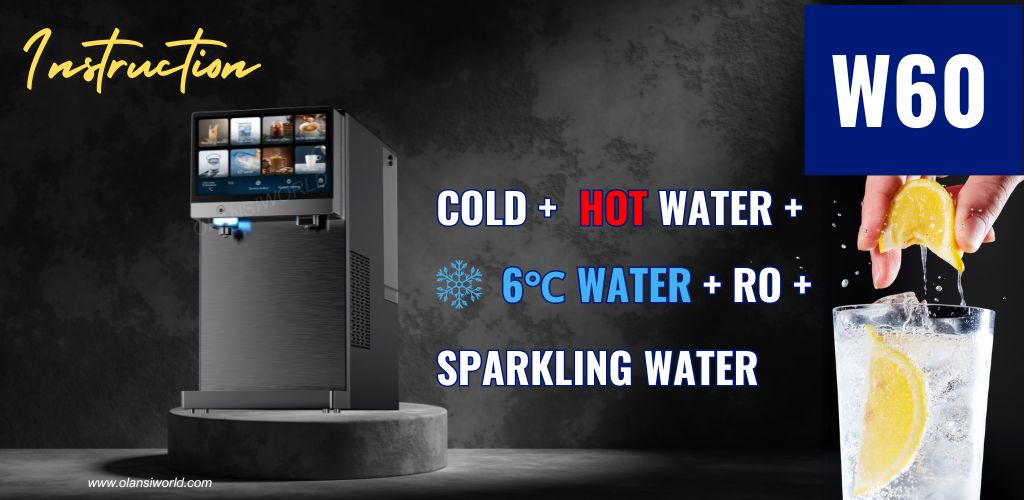
W60 Water Dispenser Product Instruction

w60 hot cold sparkling water dispenser

Product parameters (W60)

Product nameReverse Osmosis Sparkling Water Dispenser
Product modelW60
Rated voltage110~220-240V~
Rated frequency60Hz50/60Hz
Rated power1600W2300W
Rated heating power1500W2200W
Rated cooling power110W120W
Water heating capacity16L/h(≥90°C)18L/h(≥90°C)
Water cooling capacity3L/h(≤10°C)
Working pressure0.4~0.6MPa
Applicable water sourceCity water
Applicable water temperature5-38°C
Water tank capacity5L
Net weight20 kg
Dimensions467x220x430mm

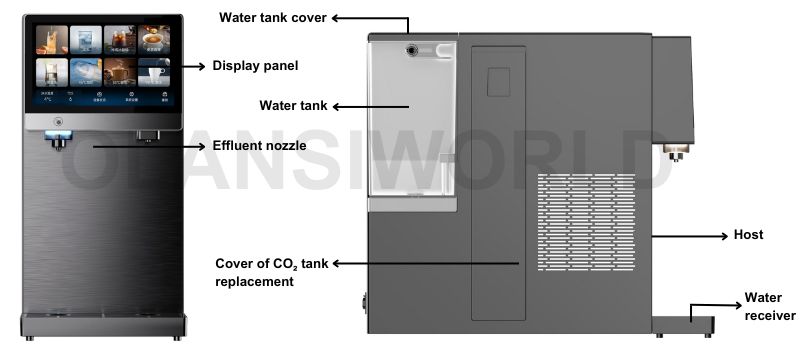
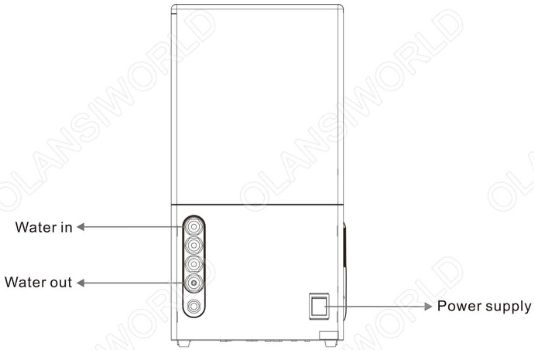
Schematic diagram of products

w60 schematic diagram of products
olansiworld软文内图 w61 schematic diagram of products 3

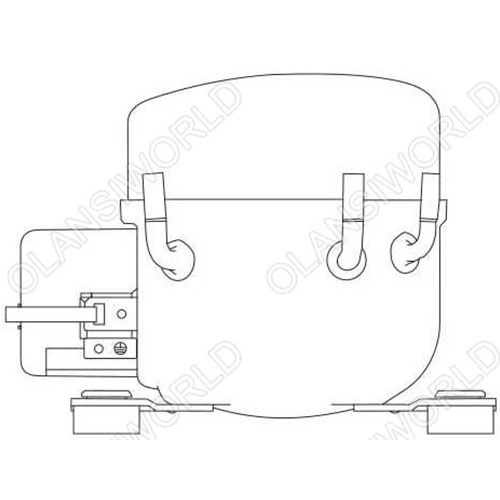
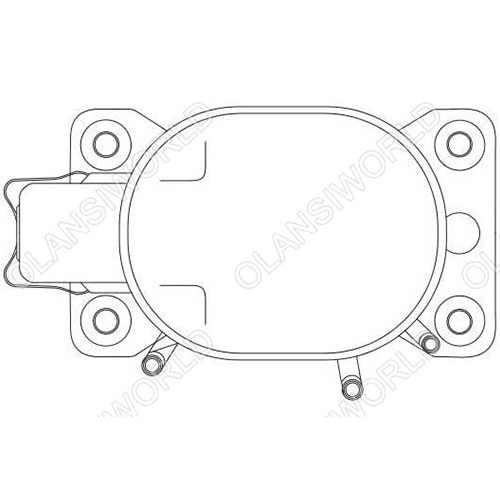
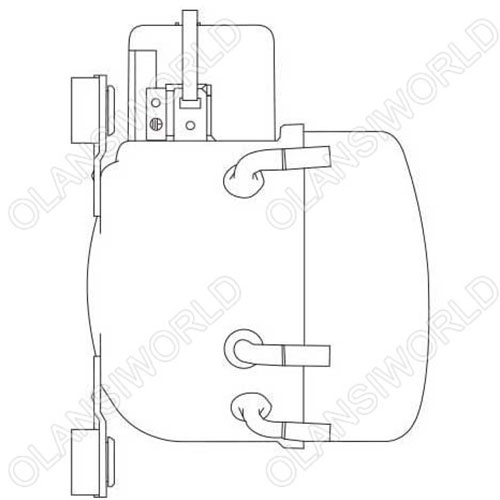
For compression equipment using combustible refrigerants, the manual should include information on how to install the equipment:

w61 schematic diagram of products 4 07

Direction 1: Forward

w61 schematic diagram of products 4 09
Direction 2: Three pipes facing upwards
w61 schematic diagram of products 4 17
Direction 3: Terminal block facing upwards

◇ When in designing a refrigeration system, full consideration should be given to the return oil of the system.
◇ Damaged compressors are not allowed to be used.
◇ After the compressor is installed on the box, it must always be kept vertical during transportation. Direction One as shown in the figure below. Priority should be given to “direction one” during loading and unloading, and in case of special circumstances, it must be turned to the side. When reversing, it is recommended to use “direction two” first, followed by “direction three”. Any adverse conditions caused by handling in other directions should not be related to the compressor itself, and our company will not assume any related responsibility.

Installation instructions
System vacuum degree (compressor): 0.025Mpa
Non-condensable gases are limited to: 1%
Maximum connector opening time: 10 minutes
The compressor cannot withstand high voltage or start or operate under vacuum conditions, and cannot be used for system vacuum pumping.
The inclination between the compressor and the horizontal state during operation shall not exceed 5°.
Using non specified types of refrigeration oil:  prohibited
Compressor return liquid: not allowed
The inventory period of the compressor after leaving the factory should not exceed 6 months.
If it exceeds 6 months, please check if the dry air in the compressor is sufficient and supplement it if necessary.

Product function introduction

w60 product function introduction
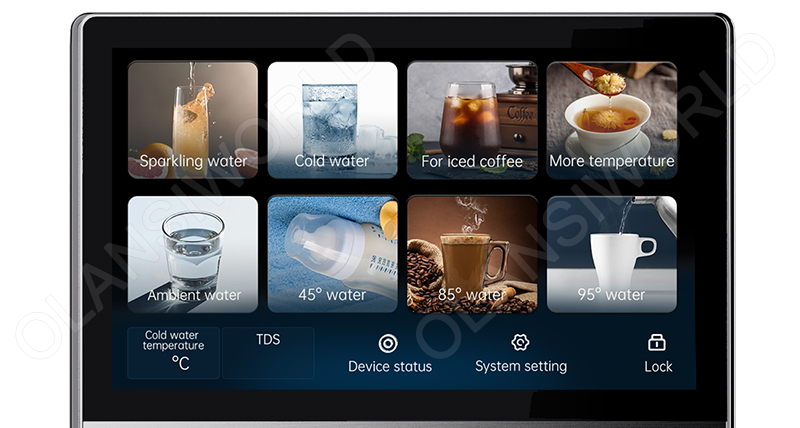
W60 Machine operation panel

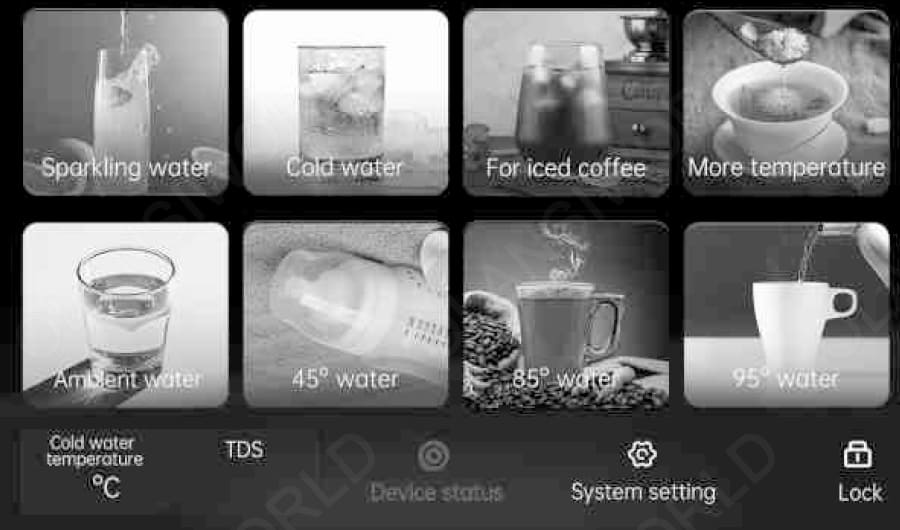
Insert the plug, switch on the power, the buzzer will sound “Ding”, and the display panel will light up after initialization is completed. The machine will enter sleeping mode. The display panel will light off if there is no operation in 5 minutes. Touch the main screen to light up the display panel.

home
Notes: Operated under standby mode in the main screen, the buzzer will sound “Ding" when you press the functional button each time. When you switch on the power each time, the right-side water outlet will always flow out normal-temperature water in 5 seconds the first time.
sparkling water
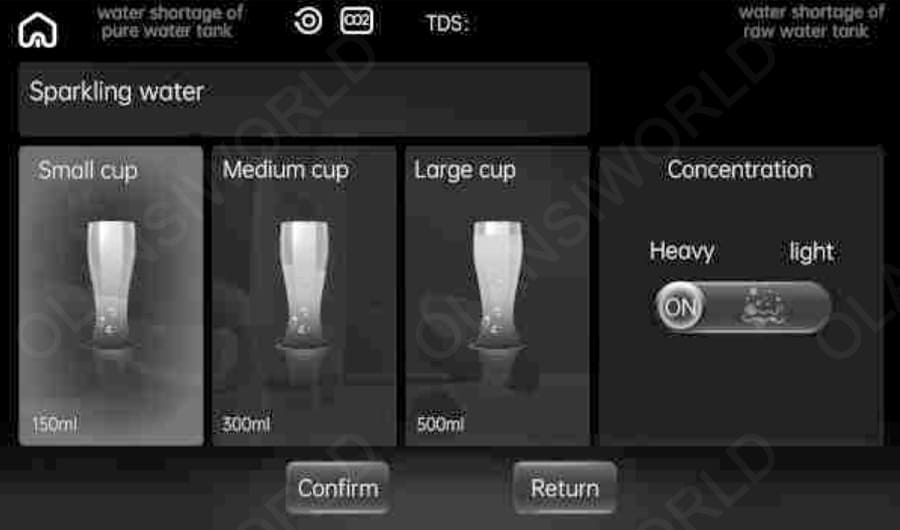
Sparkling water: Press the button; it will jump to the below screen page. Choose the cup 150ml/ 300m/500ml, adjust the concentration of sparkling water, and press confirmation when finished setting. The screen will jump to the outlet page, and the left-side water outlet will flow out. It will jump back to below the screen page when finished with the water outlet.
cold
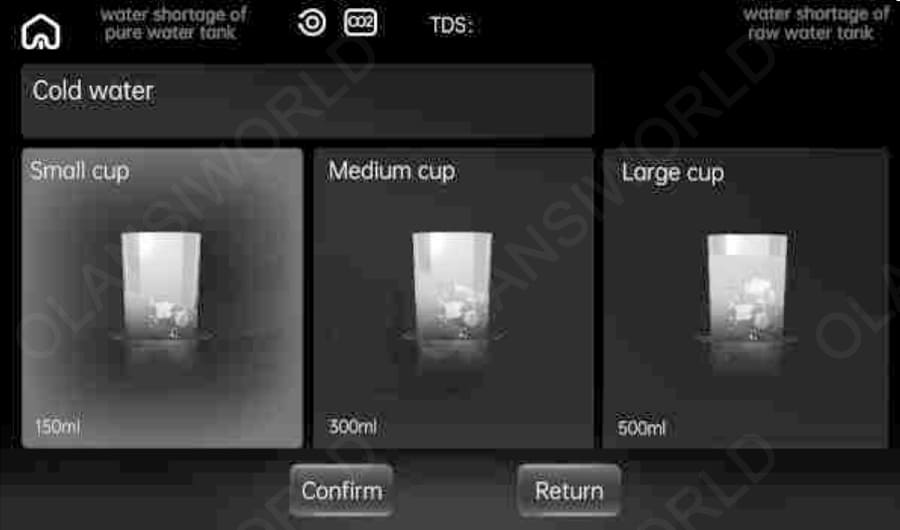
Cold water: Press the button. The blue LED light will light up, and it will jump to the below-screen page. Choose the cup 150ml/ 300ml/ 500ml, adjust the temperature of the cold water, and note that the operation is only for setting the temperature setting of cold water for next time, invalid for this time. Press confirmation when finished setting. The screen will jump to the outlet page, and the left-side water outlet will flow out. It will jump back to the below screen page when finished with the water outlet.
iced coffee
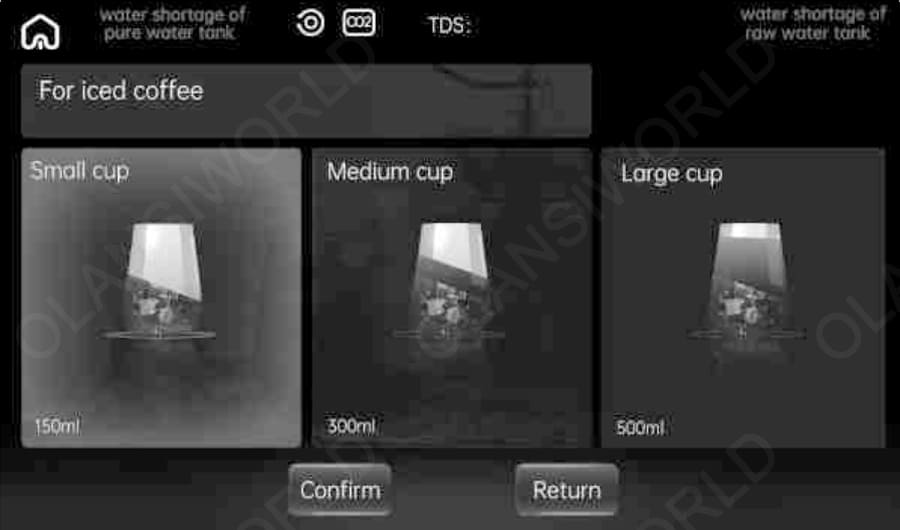
For iced coffee: Press the button. The blue LED light will light up, will jump to the below screen page, and choose the cup 150ml/ 300ml/ 500ml. Press confirmation when finished setting. The screen will jump to the outlet page, and the left-side water outlet will flow out. It will jump back to the below screen page when finished with the water outlet.
ambeint water
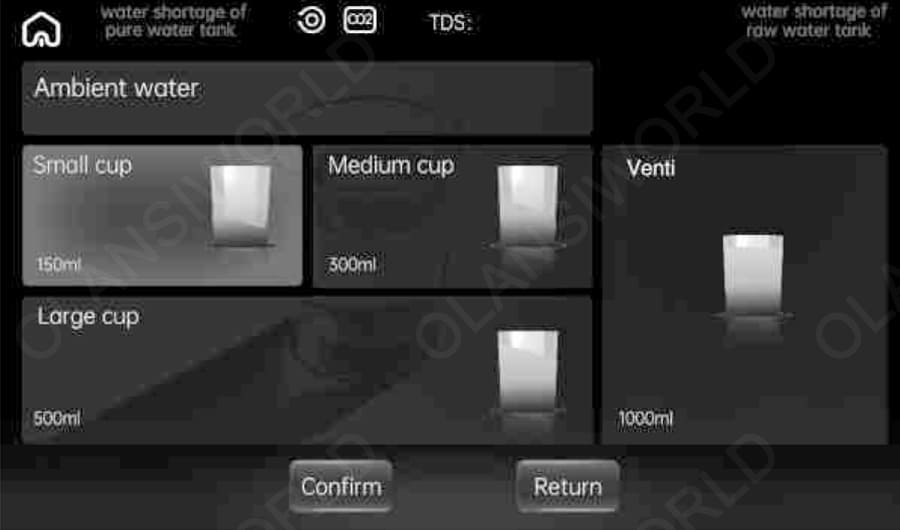
Ambient water: Press the button. The white LED light will light up, and it will jump to the below-screen page. Choose the cup 150ml/ 300ml/ 500ml/ 1000ml. Press confirmation when finished setting. The screen will jump to the outlet page, and the right water outlet will flow out. It will jump back to the below screen page when the water outlet.
95
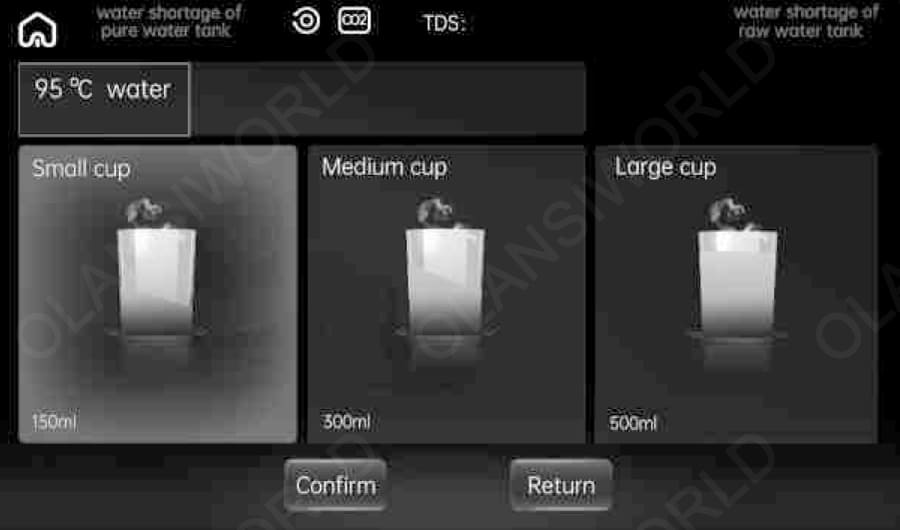
95°C water: Press the button, red LED light will light up. It will jump to the below-screen page; choose the cup 150m/ 300ml/ 500ml. Press confirmation when finished setting. The screen will jump to the outlet page, and the right water outlet will flow out. It will jump back to below the screen page when finished. Water outlet notes: Long press the button for 95°C water for 5 seconds as shown; the screen will display the buttons of “+" and “_“ to adjust the water temperature of hot water.
85
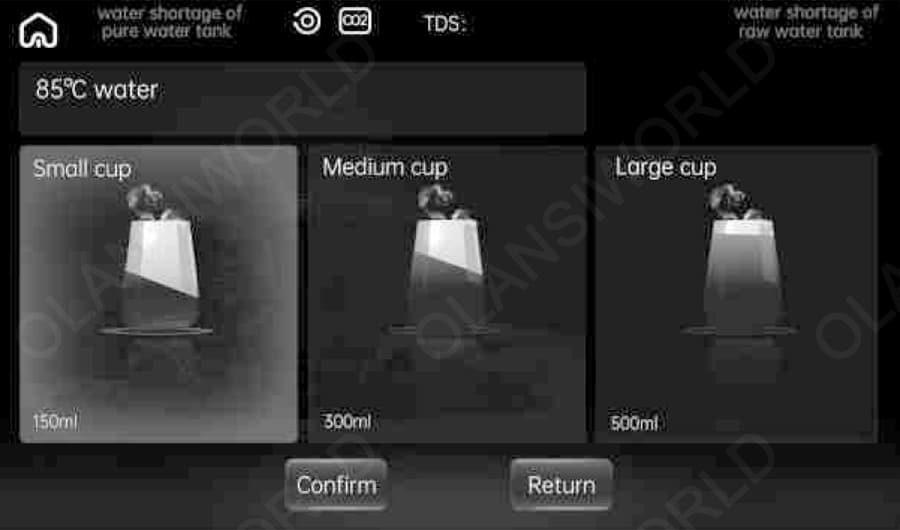
85°C water: Press the button, and the red LED light will light up. It will jump to the below-screen page; choose the cup 150ml/ 300m/ 500ml. Press confirmation when finished setting. The screen will jump to the outlet page, and the right-side water outlet will flow out. It will jump back to the below screen page when finished with the water outlet.
45
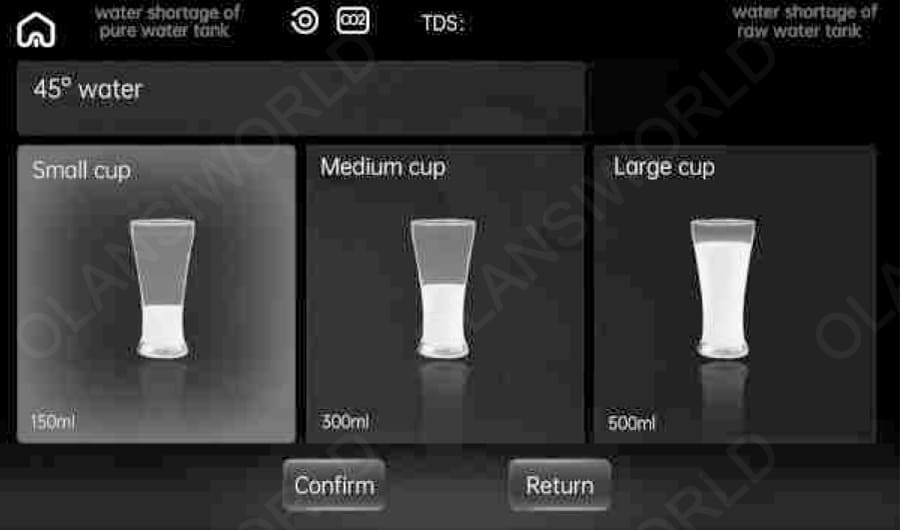
45°C water: Press the button, the yellow LED light to light it up; it will jump to the below-screen page. Choose the cup 150ml/ 300ml/ 500ml. Press confirmation when finished setting. The screen will jump to the outlet page, and the right-side water outlet will flow out. It will jump back to the below screen page when finished with the water outlet.
more temperature
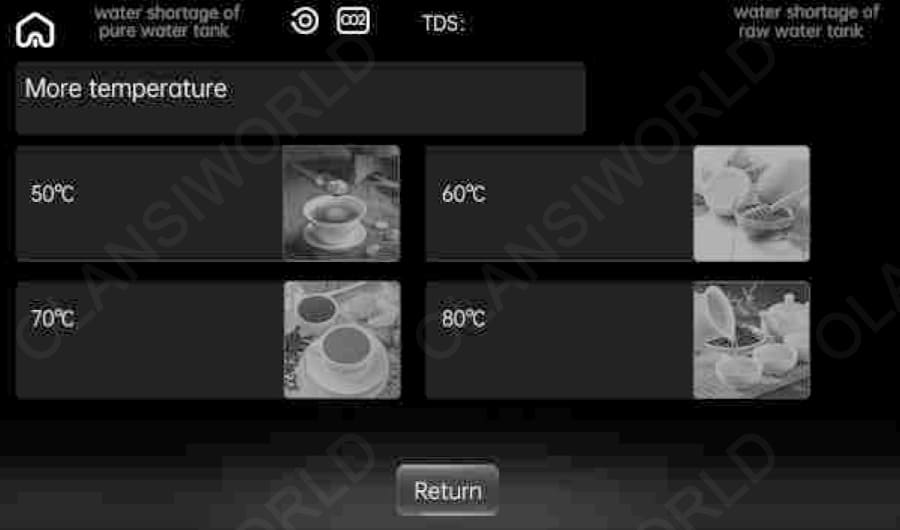
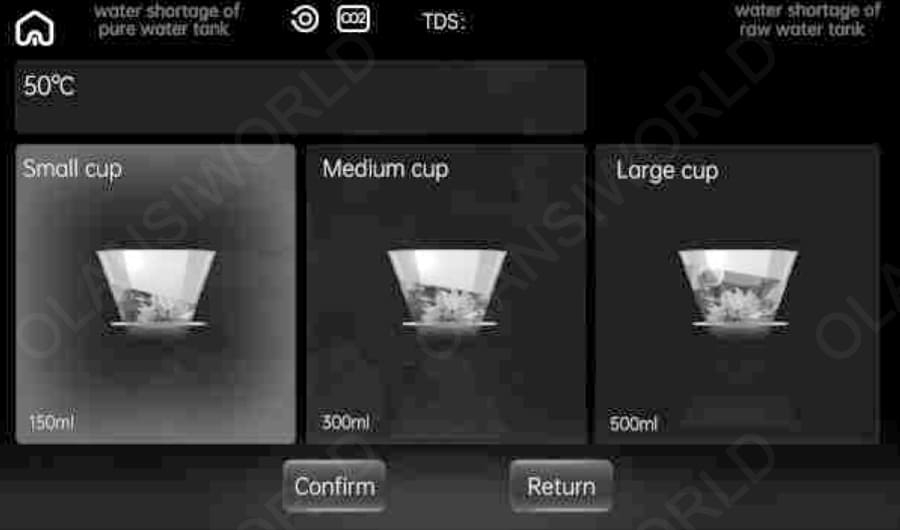
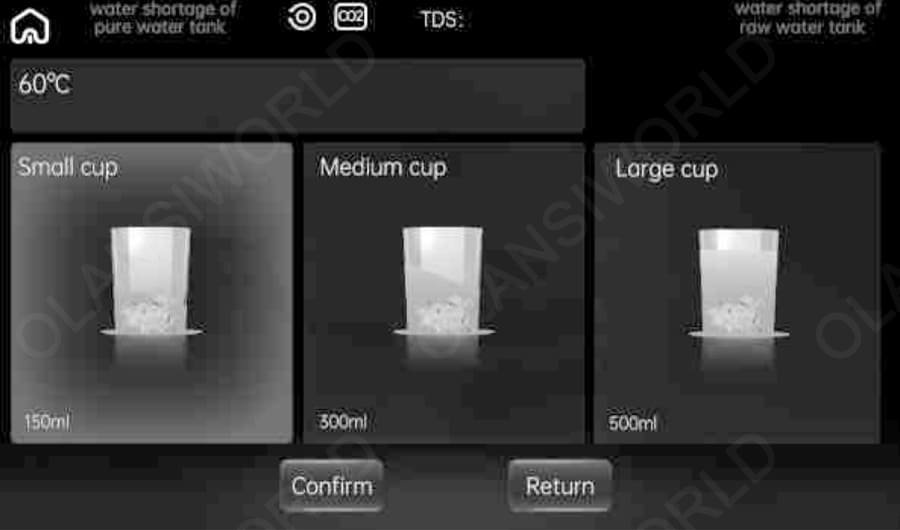
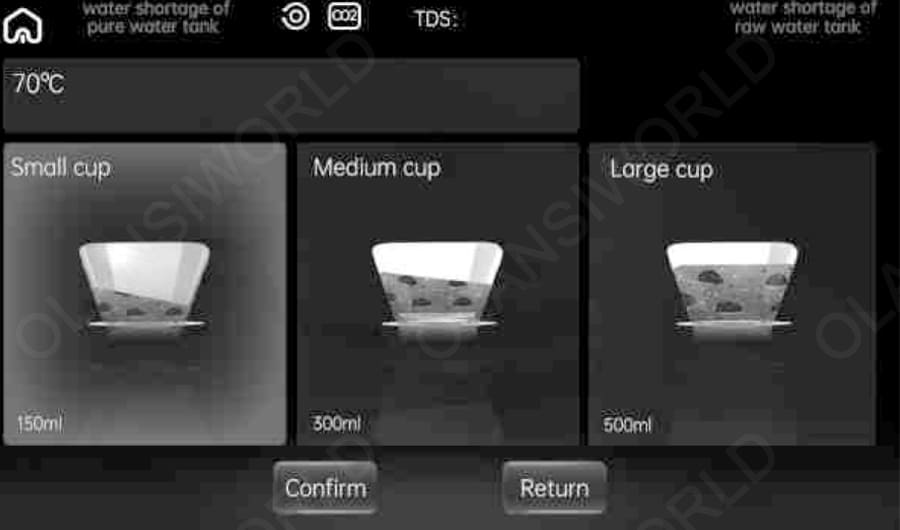
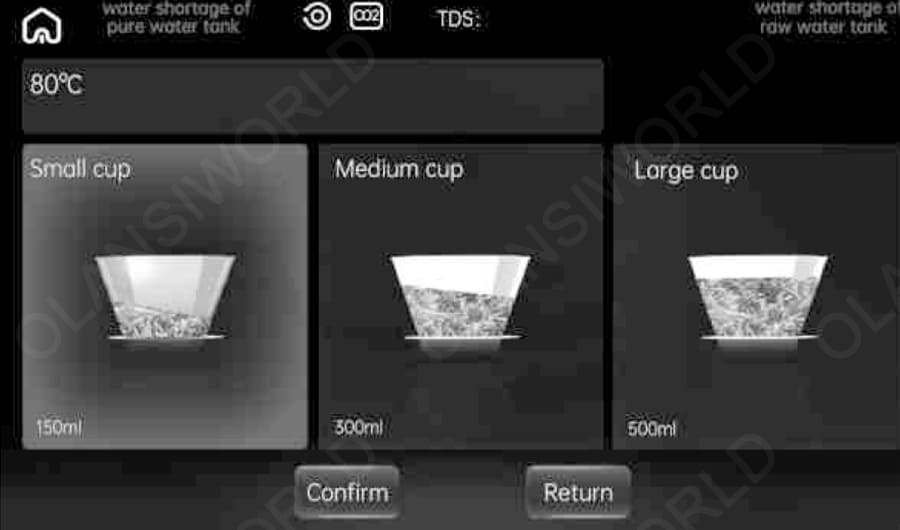
More temperature: Press the button, it will jump to below screen page for 80°C Water ,70 °C water,60°C water,50°C water.
50
50°C water: Press the button, yellow LED light will light up, it will jump to the below screen page, and choose the cup (150 ml, 300 ml, or 500 ml). Press confirmation when finished setting. The screen will jump to the outlet page, and the right-side water outlet will flow out. It will jump back to below the screen page when finished with the water outlet.
60
60°C water: Press the button, yellow LED light will light up. It will jump to the below screen page; choose the cup 150m1300ml500ml. Press confirmation when finished setting. The screen will jump to the outlet page, and the right-side water outlet will flow out. It will jump back to below the screen page when the water outlet.
70
70°C water: Press the button, the red LED light will light up, it will jump to the below-screen page, and choose the cup (150 ml, 300 ml, or 500 ml). Press confirmation when finished setting. The screen will jump to the outlet page, and the right-side water outlet will flow out. It will jump back to below the screen page when finished with the water outlet.
80
80°C water: Press the button, the red LED light will light up, it will jump to the below screen page, and choose the cup (150 ml, 300 ml, or 500 ml). Press confirmation when finished setting. The screen will jump to the outlet page, and the right-side water outlet will flow out. It will jump back to below the screen page when finished at the outlet.
filter
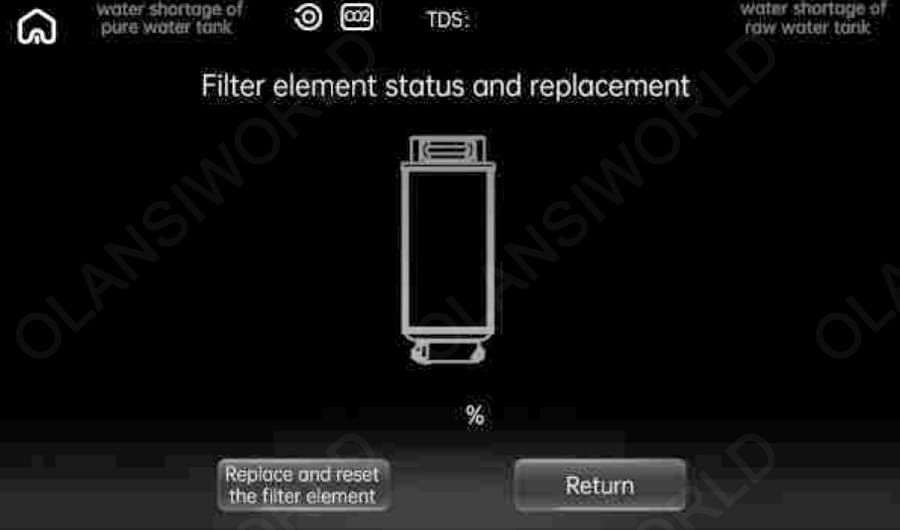
Filter status: It will remind you to replace the filter when its life expires and jump to the Reset screen page.
home 2
Machine fault: The button of machine status in the main screen will turn to red and will jump to the below screen page.
lock
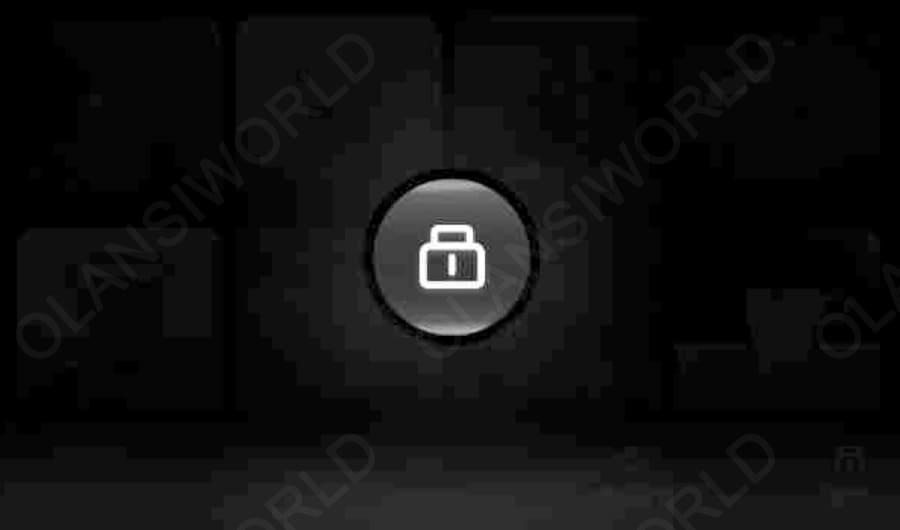
Lock: Press one time to lock, press again to unlock.
wifi 2 c
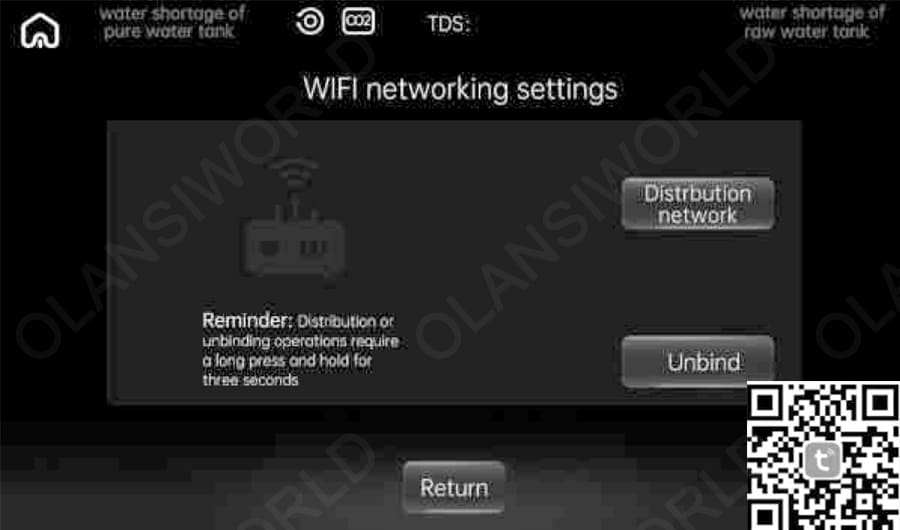
1. Scan and download - Download the Life app;2. Register/Login - Sign in to the app after registering (Applicable to Android and iOS systems)
uv
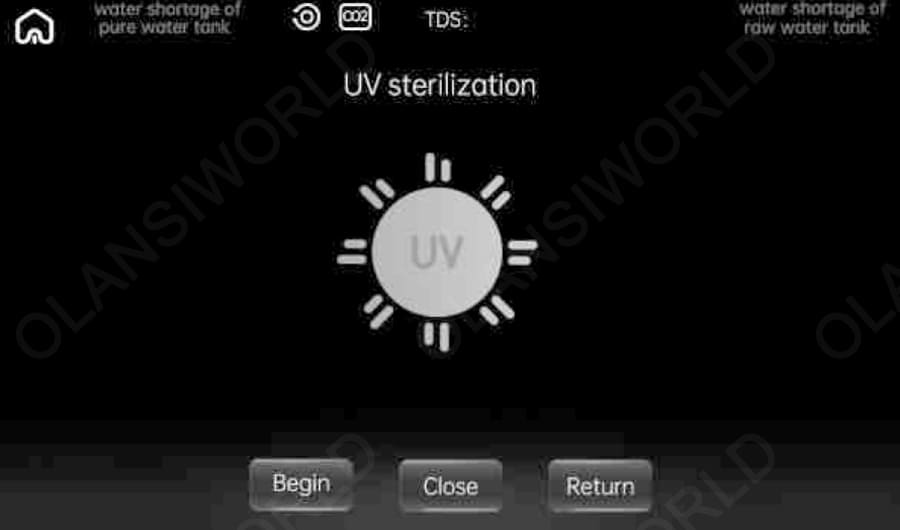
UV sterilization: Press "System setting", press "UV sterilization", and it could start UV sterilization of the machine or shut down UV sterilization of the machine.
pipeline

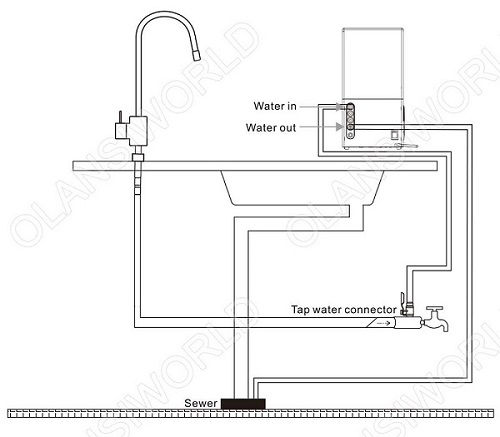
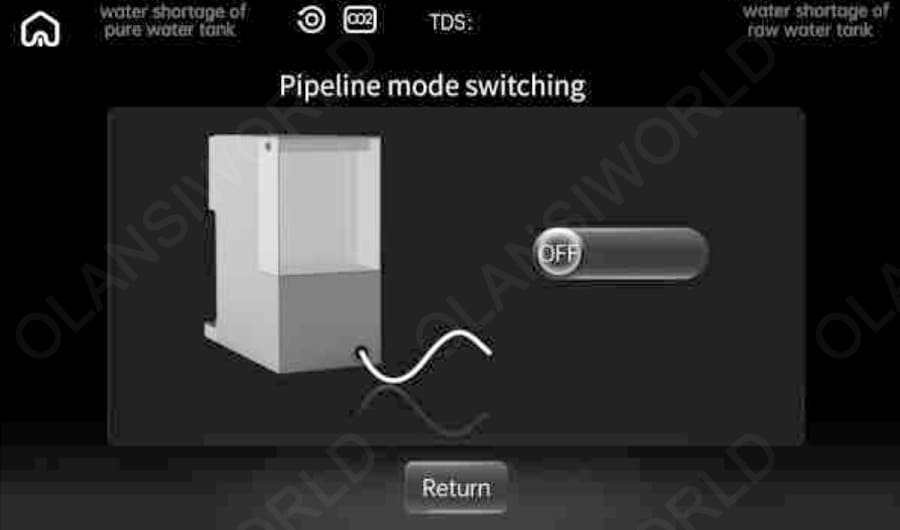
Pipeline mode switching: The default setting is with the original water tank mode. If you need to switch to pipeline mode, press this button to start; the machine will remember this setting from now on. Under pipeline mode, it must make sure to plug in the input water pipe and wastewater pipe. (Please refer to the water pipe installation drawing for operation.) Under pipeline mode, turn off the faucet of tap water before starting to press the drain button. (Notes: Left and right side water outlets under the display panel will drain together.)
If you need to switch back to the original water tank mode in the pipeline mode, you need to turn off the pipeline mode in the system settings on the screen, pull out the water inlet line and wastewater line on the back at the same time, and insert the plug back into the water inlet hole and wastewater hole, respectively, before the original water tank mode can be used normally.

Function description

water
IconFunction description
home 3Back to Home button
water shortage of pure water tankThe red light indicates that the pure tank is short of water
water shortage of raw water tankThe red light indicates a shortage of water in the original tank
UVIndicates that the UV sterilization function is enabled.
CO₂The white light means there is enough carbon dioxide gas, and the red light means there is no carbon dioxide gas or no gas cylinder is installed.
H₂CO₃The red light indicates that carbon dioxide gas is infused into sparkling water in pure water. Please wait 1–2 minutes. Use the machine's default ice water (≤10°C) to make sparkling water.
filter 1The filter life reminder light is divided into white, yellow, and red lights. When 20% < filter life ≤ 100%, the filter indicator will show white. When 0 < filter life ≤ 20%, the filter indicator light shows yellow.
When the filter life is equal to 0, the filter indicator shows red.

Attention:
♦ The cooling setting must be enabled for the bubble water function. If the cooling function is not enabled, the bubble water function cannot be used.
♦ Bubble water contains carbon dioxide, the outlet pressure is large, the discharge flow is not very accurate, and there is a small amount of jet when the outlet is produced. This is a feature of the function; this is a normal phenomenon.
♦ When the bubble water does not come out, please check whether the carbon dioxide cylinder has been used up in advance, such as after the gas is used up. Replace the new CO₂ cylinder assembly.
♦ The bubble water function product will have slight vibration and noise when it comes out of the water, which is a normal phenomenon, because the pressure of the bubble tank is large, and the pump needs to pump the net water into the bubble tank.

Warm reminder :
♦ Each person’s taste and concentration requirements for sparkling water are different, and the concentration needs to be adjusted according to personal tastes and preferences. If you find the taste of sparkling water too strong, you can try adding some fruit or juice to the sparkling water to increase the texture and taste. For example, lemons, strawberries, blueberries, etc., are good choices.
♦ If you feel that the taste of sparkling water is too strong, you can try to reduce the pressure of the sparkling water or add more pure water to dilute it. In addition, you can also add some moderate sweetener or sugar to balance the taste. For example, honey, sugar, maple syrup, etc.
♦ In the first use of bubble water, carbon dioxide gas needs to be thoroughly dissolved into the cold tank. Inside, all the water needs to wait for ten minutes, which is the characteristic of bubble water.

cleaning

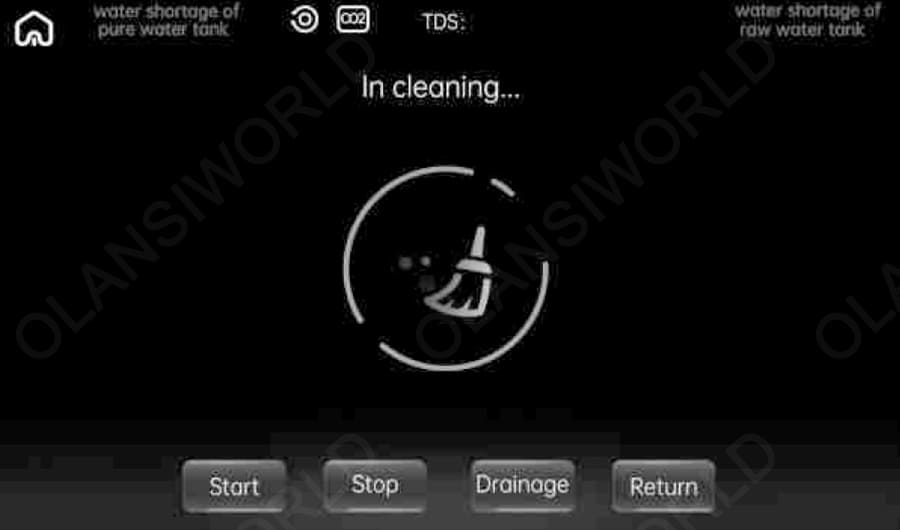
Operate with “self-cleaning” when first used or after replacing the filter. Press “System setting” in the main screen, and press the function “Self cleaning” into
the automatic cleaning mode.
1. Press “Drain” mode to clean out all the water in the tank; under drain mode, two outlets will flow out water together; please place water containers under the outlets.
2. After finishing the drains, press “Start” into “Self-cleaning” mode. After finishing the self-cleaning, the two outlets will stop flowing out water.
3. After finishing self-cleaning mode, please fill the water tank. Notes: If you need self-cleaning, please repeat STEP 2)
4. After finishing the above steps, please place the CO₂ tank in the designated position to enter normal use status.
Notes: The can not be placed in the designated position before cleaning. It must be placed in the machine after finishing cleaning.

Notes:
1. The buzzer will sound “Ding” when the operation is valid for pressing the button each time.
2. The machine will clean for 5 seconds when starting operation or each time the water tank is filled. The water icon will light up in the display panel.

Notes:
1. The buzzer will sound “Ding” when the operation is valid for pressing the button each time.
2. The machine will clean for 5 seconds when starting operation or each time the water tank is filled. The water icon will light up in the display panel.

Waterway Installation Diagram

w61 waterway installation diagram 6 2
w61 waterway installation diagram 1
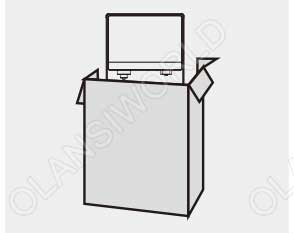
1.After taking the product out of the packing box, place it in a flat place, such as the desktop or cabinet countertop.
w61 waterway installation diagram 2
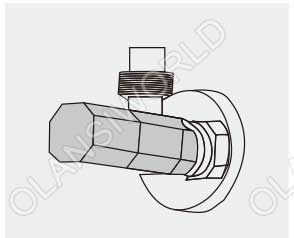
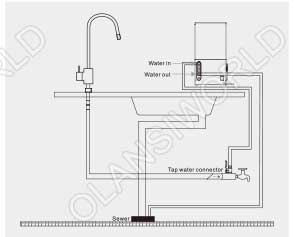
2.Take out the inlet ball valve, install it on the angle valve connect PE water pipe and install it on the inlet at the rear of the host. (Note: PE pipe should be inserted tightly)
w61 waterway installation diagram 3
3. Connect the pipeline according to the stage installation schematic diagram (as shown in the right, see the stage waterway instalation diagram for big picture)
w61 waterway installation diagram 4
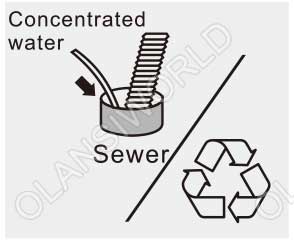
4. Concentrated water can be discharged directly into the sewer or recycled.

Steps for replacement of bubble tank

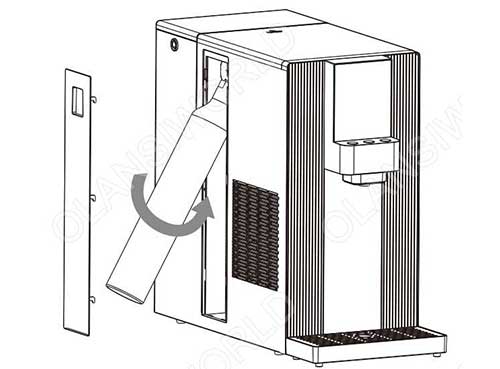
When the machine displays” CO₂”, it indicates the need to replace the gas cylinder.
1 w61 steps for replacement of bubble tank

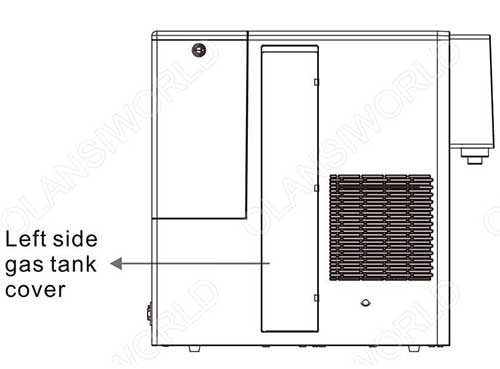
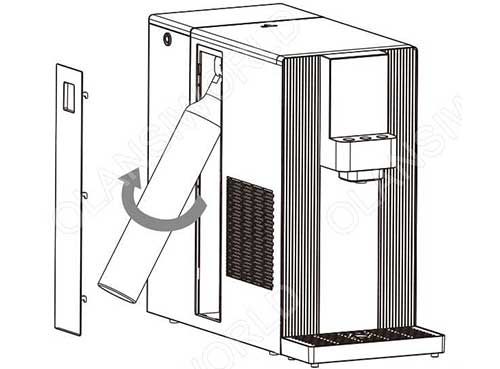
Step 1: Turn off the power supply, open the gas tank cover, hold the notch of the cover by your finger and pull it up to open the tank cover.

2 w61 steps for replacement of bubble tank

Step 2: When open the cover, hold the bottom of the bottle to pull outward, rotate the bottle by counterclockwise.

3 w61 steps for replacement of bubble tank

Step 3: Remove the sealing of new gas bottle, place the spout to the machine’s connector of relief valve. The connector can be pulled up to align with the bottle’s spout, rotating the bottle with clockwise and fix. Close the tank cover.

4 w61 steps for replacement of bubble tank

Step 4: After replacement of gas bottle, white writing of CO₂ will be shown in display panel again, means that the gas bottle has been fixed.

Replacement of filter element

1w61 replacement of filter element

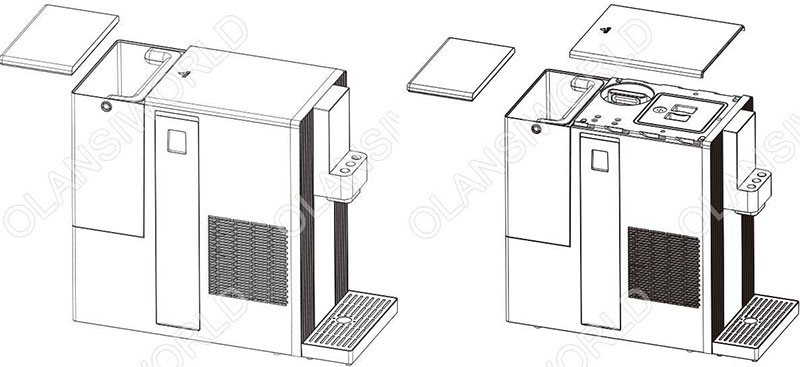
Step 1: Turn off the power, open the water tank cover, push backward the top lid of the machine.

2w61 replacement of filter element

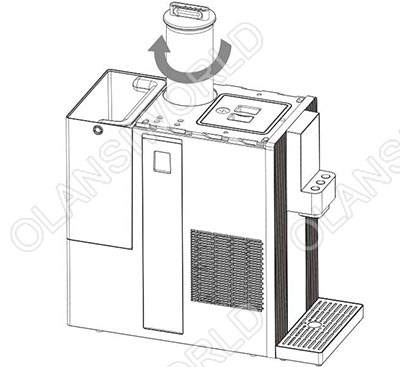
Step 2: Rotate the filter counterclockwise and take it out upward.

3w61 replacement of filter element

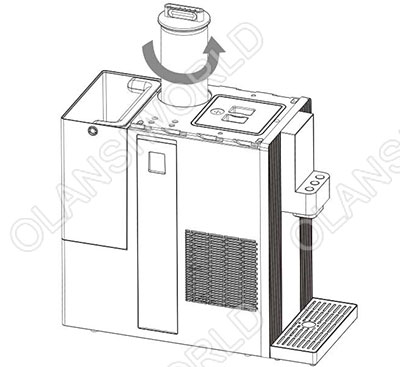
Step 3: Assemble the new filter and rotate it by clockwise to tighten

Step 4: Press button of machine status into the replacement of filter and press reset. After finished filter replacement, it suggests operating with self-cleaning function to clean the new filter.

filter

Note: Original filter element must be used for replacement to ensure the safety of drinking water. For any abnormal situation during the replacement of filter element, please contact the customer service center in time

First use of the empty operation guide

To ensure the best experience, follow these steps to empty the device before first use:
1. Preparations
Place the machine on a smooth, ventilated table.
Fill the tank with room temperature drinking water to the MAX line (do not use hot water or sugary liquids)

2. Start the drain procedure
After turning on the machine, click the system Settings-self-cleaning function at the bottom of the screen, and press the [drainage] button briefly. The machine will automatically discharge residual gas and water.

3. Confirmation is completed
When the cleaning icon in the middle of the screen stops jumping, it means that the emptying is complete.
Matters need attention
A brief “squeak” will occur when emptying, which is normal.

Function of filter element

Filter element for short Type of filter element Function Recommended replacement period
RO 4 in 1 RO Reverse osmosis composite filter element Removal of impurities such as silt, rust, sand, suspended solid and blood worm; Removal of residual chlorine, germ, heavy metal and absorption of disagreeable tastes and odors; Prevent the growth of germ and improve the tastes. 24 months

W60 Related Videos​

W60 Installation

How to Use the W60

Fault elimination

Fault description

List of harmful substances

More Posts

Table of Contents

请在浏览器中启用JavaScript来完成此表单。
OLANSI
OLANSI HEALTHCARE CO.,LTD
WhatsApp
邮箱

Need Help?

I’m Here To Assist You

Something isn’t Clear?


Feel free to contact me, and I will be more than happy to answer all of your questions.

WATER & Air Purifier Market Size, Share, Analysis, Forecast
Price Value $4000+

Enter you email below, so we can send you this valuable report.