olansi logo blue 4

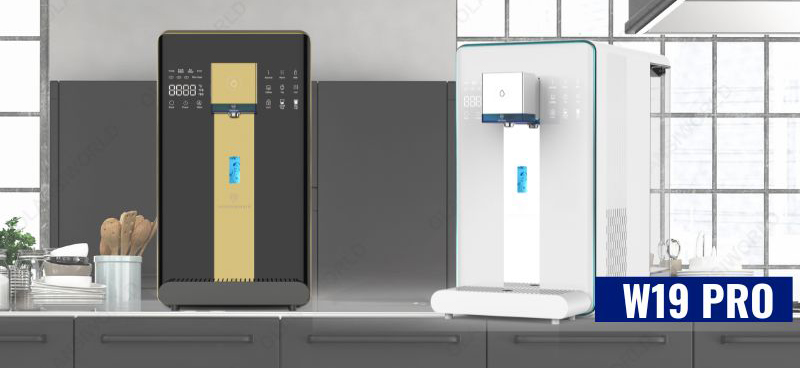
W19 PRO Product Instruction

w19 pro

Product parameters (W19 PRO)

Product name Reverse Osmosis Hydrogen Rich Water Purifier Dispenser
Product model W19 (Pro) W19 (Pro)
Rated voltage/frequency 110V~ / 60Hz 220V~ / 50Hz
Rated power 1500W 2200W
Rated heating power 1400W 2100W
Electrical power consumption 0.1kW/24h
Water heating capacity 18L/h (≥90°C) 18L/h (≥90°C)
Water production flow 30L/h
Working pressure 0.4~0.8MPa
Applicable water source City water
Applicable water temperature 5-38°C
Water tank capacity 6L/2.5L
Net weight 11 kg
Dimensions 475x240x430mm

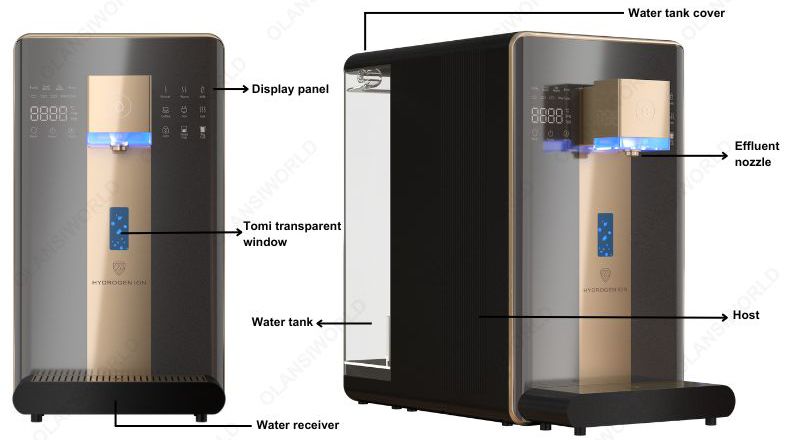
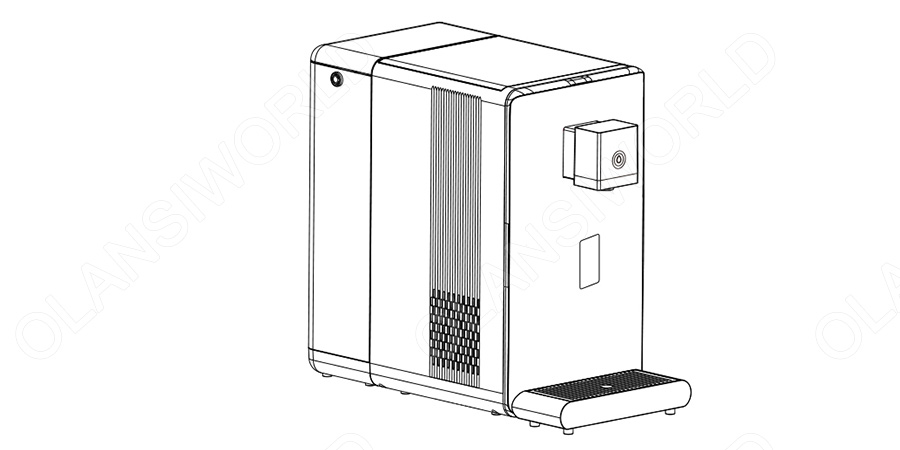
Schematic diagram of products

产品使用图 w19 schematic diagram

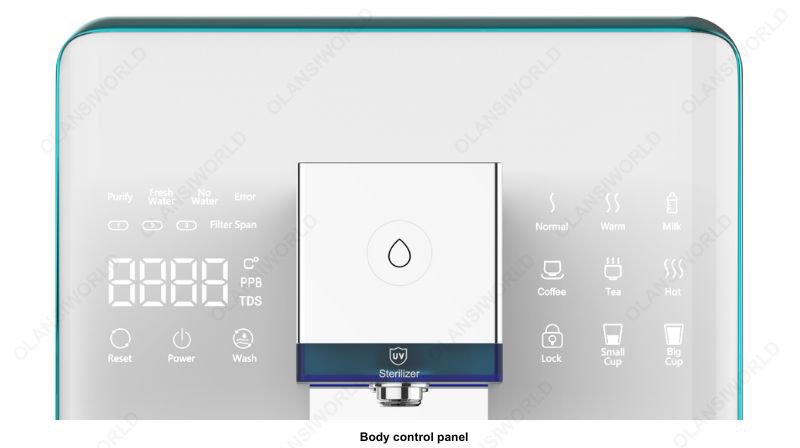
Product function introduction

w19 pro body control panel white 7

Operation guideline

w19 operation guideline 1

Step 1: Place water purifier in flat place such as desktop or cabinet countertop;

w19 operation guideline 2

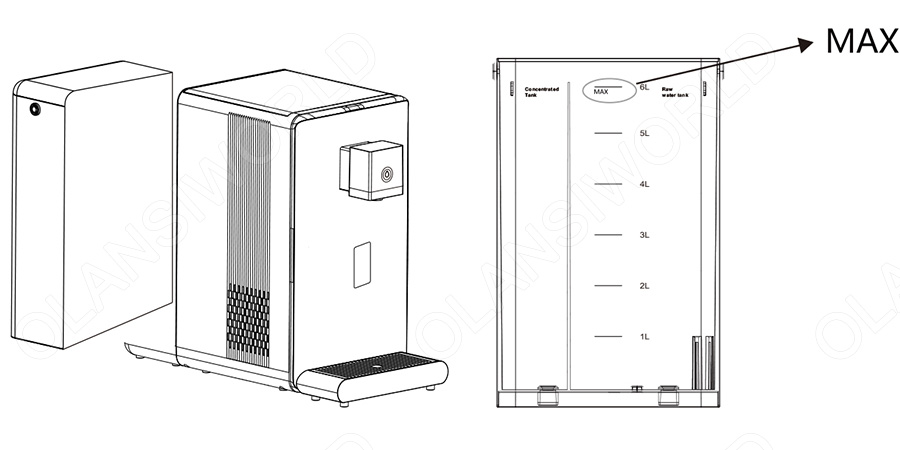
Step 2: Remove the water tank, fill the raw water tank with fresh tap water, and install the water tank on the purifier and close the lid of the water tank;

w19 operation guideline 3
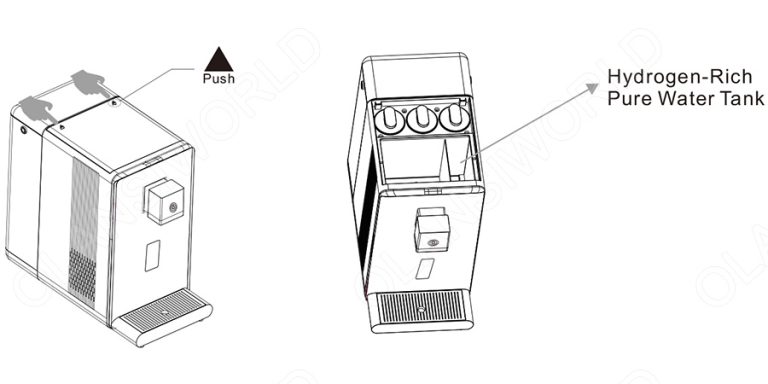
Step 3: Press the snap-fit on the top and the top lid will pop up. Open the lid of pure water tank, add bottled pure water in the hydrogen-rich pure water tank, cover the lid of the pure water tank, and then install its top lid; (Note: It is strictly forbidden to add tap water, mineral water and filtered water in the hydrogen-rich pure water tank.
w19 operation guideline 4
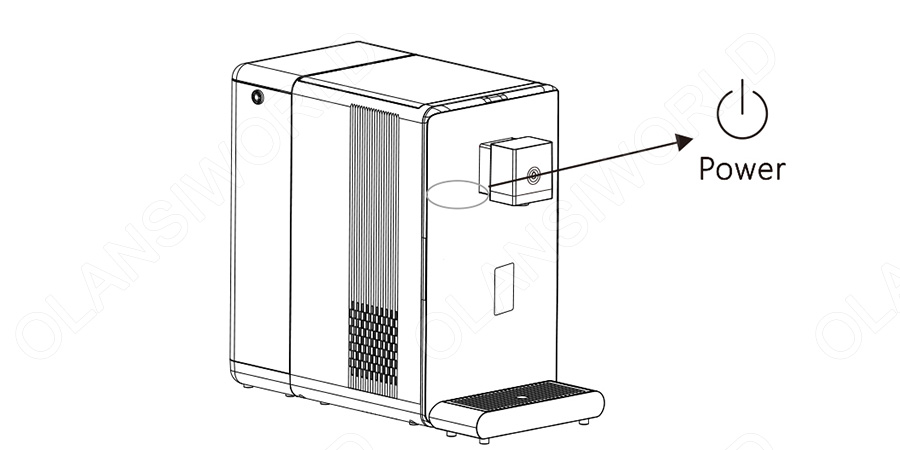
Step 4: Plug in the purifier to power on the electricity. Long press the power key for 2 seconds to start the purifier;
w19 operation guideline 5
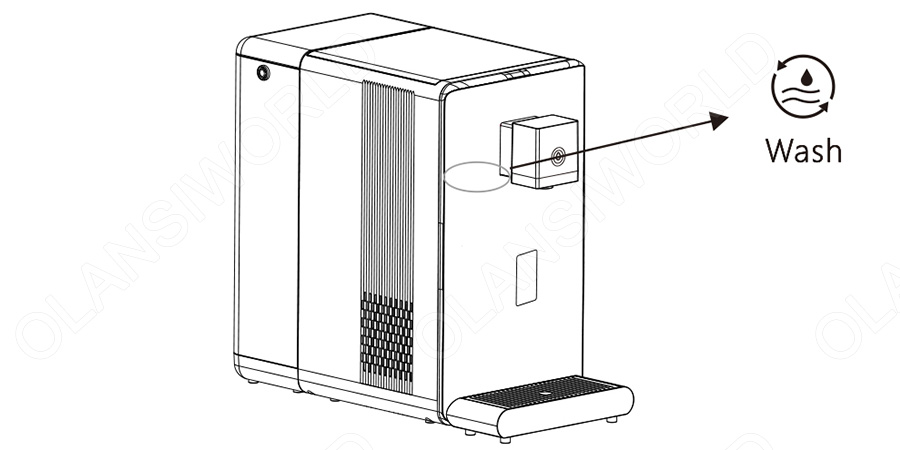
Step 5: To achieve excellent water with great quality, it is recommended to clean the purifier manually after long press the “Wash” for 3 seconds. Place a water container at the outlet (e.g.: Bucket, etc.). After 6 minutes, you can operate the purifier for daily use;
Step 6: After the cleaning process, the water tank should be emptied and re-added of tap water. The water purifier will start to make water automatically. After the water making is completed, it can be used normally.

Daily use

When the machine displays” CO₂”, it indicates the need to replace the gas cylinder.
w19 daily use 1

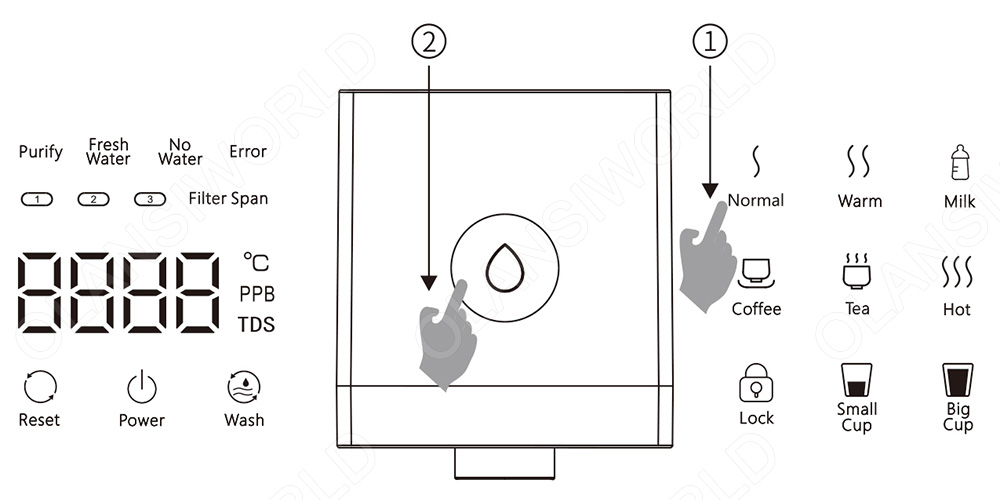
1. Press “Normal” “Warm” “Milk” and other keys;

2. Touch “Water Out” again to directly discharge water;

w19 daily use 2

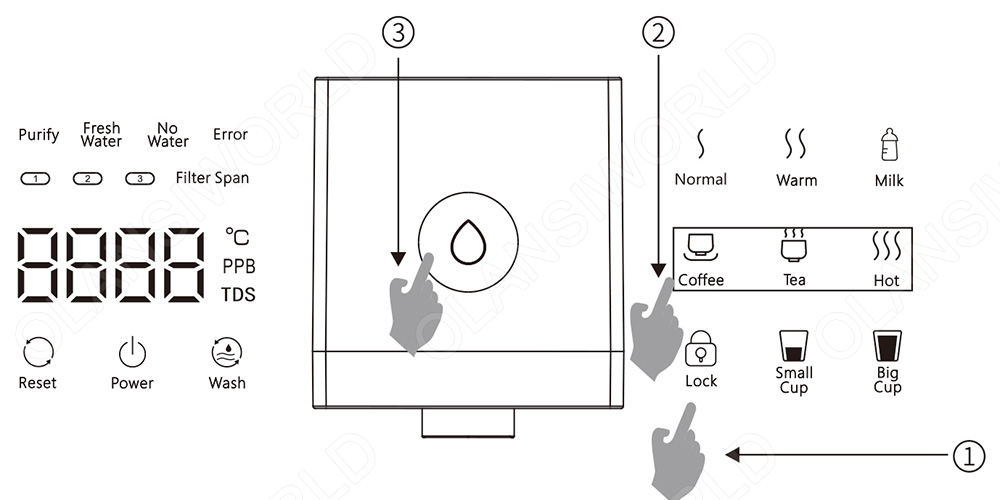
1. Press “Lock” unlock;

2. Press “Coffee” “Tea” “Hot” and other keys;

3. Touch “Water Out” again to directly discharge water;

w19 daily use 3

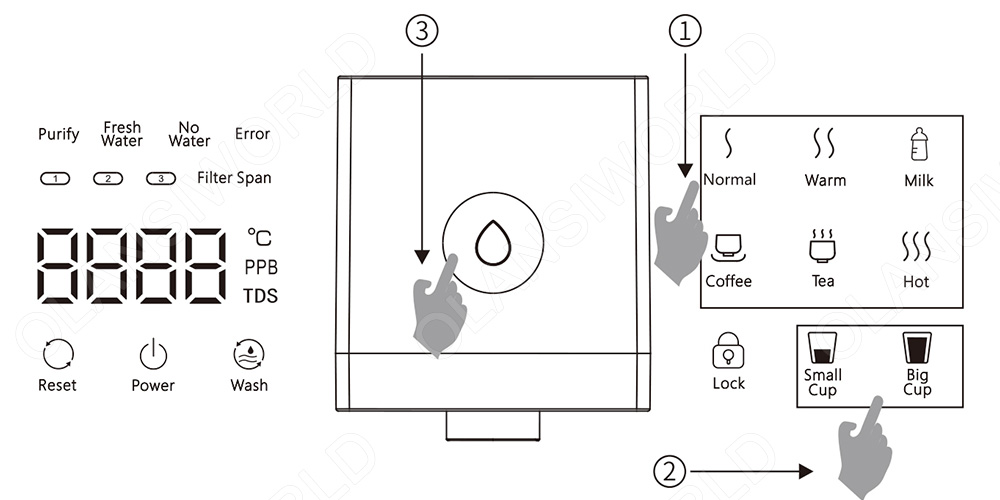
1. Press “Normal” “Warm” “Milk” “Coffee” “Tea” “Hot” and other keys, (If you need to “Coffee” “Tea” “Hot”, you need to touch the “lock” to unlock);
2. If you touch the “small cup” and “Big cup” keys, the cup of water corresponding to the water temperature will be output;
3. Touch “Water Out” again to directly discharge water;

Notice:
(1)The dispenser is set with quantitative water-out protection, and the water-out is automatically stopped after more than 1000ml of water came out.
(2)When taking hot water, do not stretch your arms below the outlet in case of scalding.
(3)To prevent dry burning, please flow out some normal temperature water before the first time of dispenser powering and hot water getting.

When the water comes out, you can press any temperature key to stop the water.
Manual Setting Temperature Mode
Long press “boiling water” for 3 seconds, the dispenser enters the temperature regulation mode, digital tube displays“95”. Press “big” to reduce the temperature for 1 degree, and press “big” to raise the temperature for 1 degree. The lowest adjustable degree is 85 degrees. After getting to the desired temperature, no operation for 5 seconds will indicate the prior setting has been completed successfully.

Replacement of filter element

Step 1: Turn off the power and take out the old filter element (① ②)
Step 2: Installation of new filter element (③ ④)
w19 replacement of filter element 1
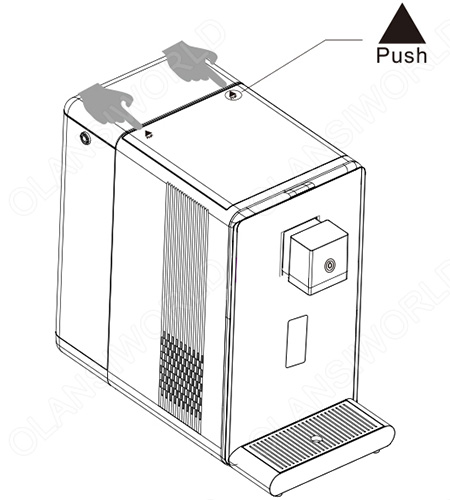
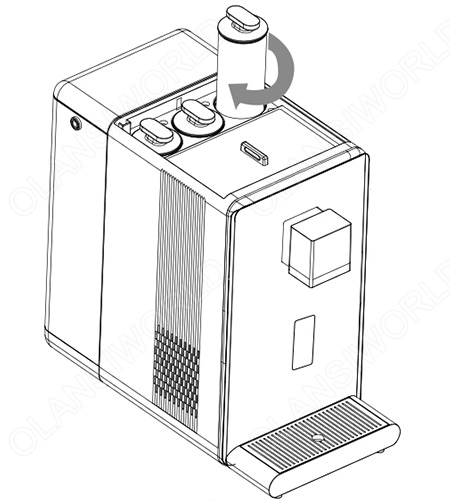
Press the “Push” button pops to open the head cover of the machine automatically;
w19 replacement of filter element 2
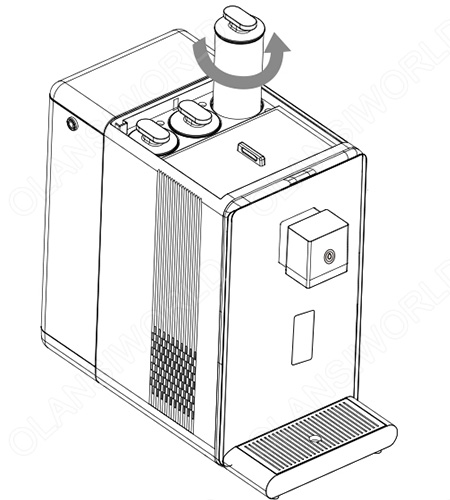
Rotate the filter element counterclockwise and take it out upward;
w19 replacement of filter element 3
Assemble the new filter element and rotate it clockwise to tighten it;
w19 replacement of filter element 4

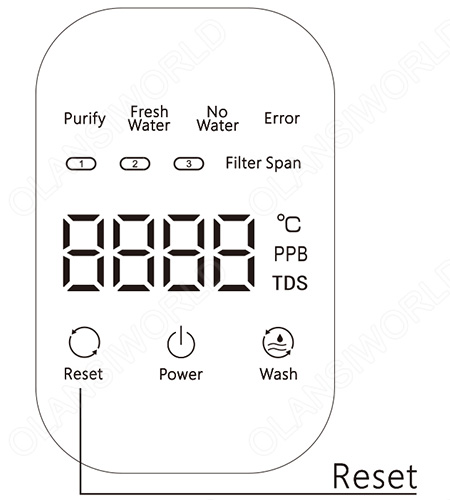
Press and hold “RESET” and then touch “RESET” to select the corresponding filter element.
Press and hold “RESET” for 3s to complete resetting.

Note: Original filter element must be used for replacement to ensure the safety of drinking water. For any abnormal situation during the replacement of filter element, please contact the customer service center in time.

Function of filter element

Filter element for short Type of filter element Function Recommended replacement period
PAC Folding PP cotton activated carbon rod composite filter Removal of impurities such as silt, rust, sand, suspended solid and blood worm; removal of residual chlorine and absorption of disagreeable tastes and odors. 6-12 months
RO Reverse osmosis filter element Filter precision of 0.0001 μm, removal of incrustation and heavy metal 12-24 months
CF Rear composite carbon rod Further increase the taste 6-12 months
More Posts

Table of Contents

请在浏览器中启用JavaScript来完成此表单。
OLANSI
OLANSI HEALTHCARE CO.,LTD
WhatsApp
邮箱

Need Help?

I’m Here To Assist You

Something isn’t Clear?


Feel free to contact me, and I will be more than happy to answer all of your questions.

WATER & Air Purifier Market Size, Share, Analysis, Forecast
Price Value $4000+

Enter you email below, so we can send you this valuable report.