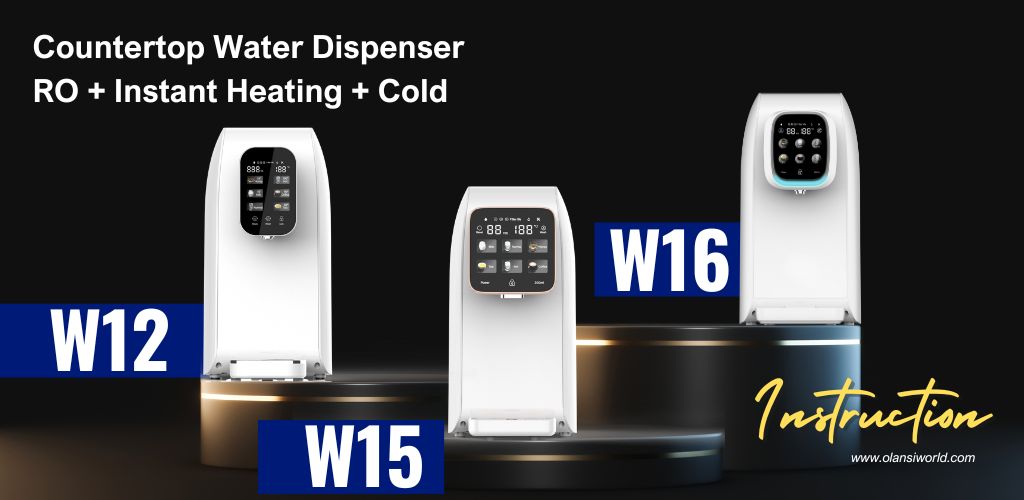
This desktop water machine uses RO filtration, quick heating, and patented color screen technology. It requires no installation, filters harmful substances, and enriches beneficial minerals. With features like 3-second heating, water separation, and a child lock, it’s safe, convenient, and perfect for home or office use.
Product parameters (W12 vs W15 vs W16)
| Product model | W12 | W15 | W16 |
| Rated voltage/frequency | 110V~/60Hz or 220V~240~/50Hz | ||
| Rated power | 1500W or 2200W | ||
| Rated heating power | 1500W or 2200W | ||
| Electrical power consumption | 0.1kw·h/24h | ||
| water heating capacity | 16L/h(≥90℃) or 18L/h(≥90℃) | ||
| Water production flow | 7.8L/h | ||
| Working pressure | 0.4~0.8MPa | 0.4~0.6MPa | 0.4~0.8MPa |
| Applicable water source | City water | ||
| Applicable water temperature | 4-38℃ | ||
| Rated total pure water | 2,000L | ||
| Dimensions | 450x200x387mm | ||
| Quantitative water button | _ | With | |
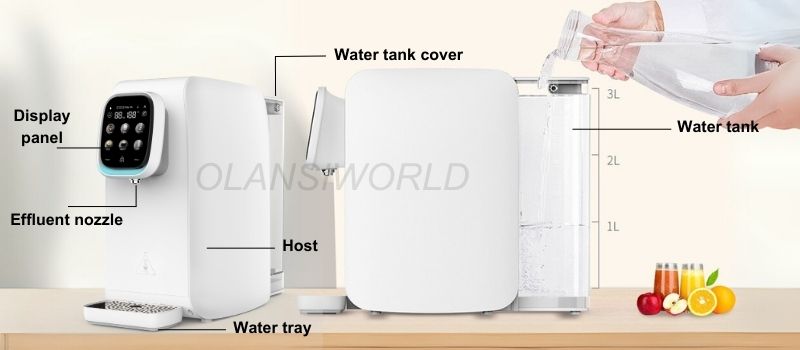
Schematic diagram of products
➀ Water producing lamp
The flashing indicator indicates that water is produced and cannot be output. Normally, one of the indicator indicates that water is produced and can be output. When the indicator light goes off, it means the water production is over
➁ Replace the filter element when the orange light is normally on
➂ Adding water
➃ Please read the Manual for service and maintenance
➄ Filter reset
➅ Wash(Flash)
For the first time use, long-term unused, please replace the filter element before washing
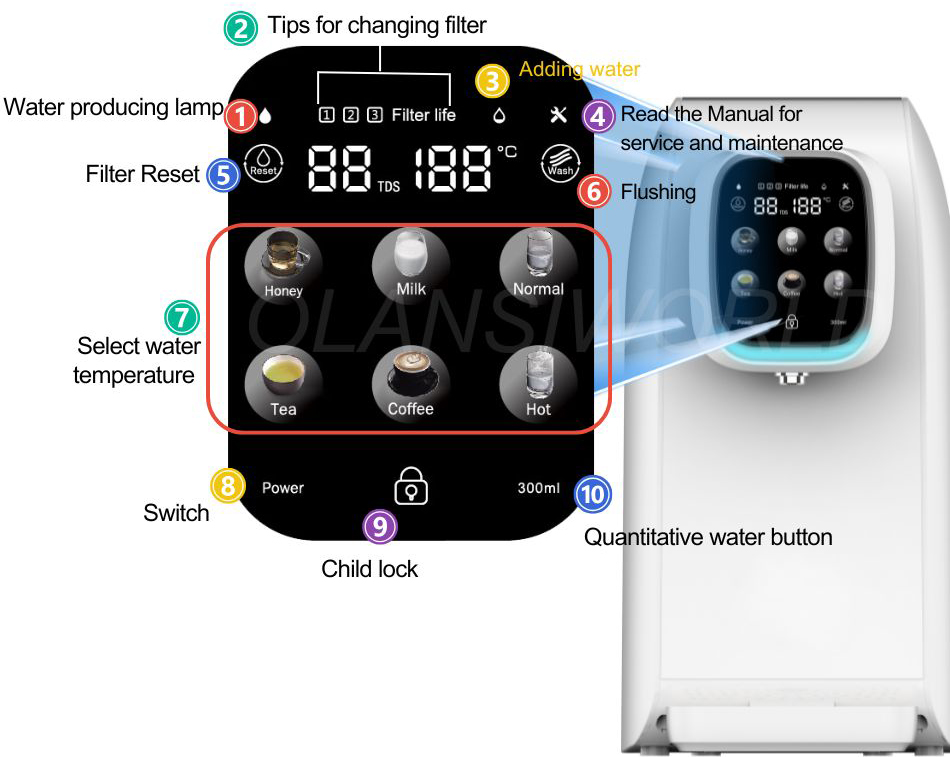
➆ Key of water temperature
— Daily use
Take water/Stop taking water
The product supports 6 types of water temperature for selection. Pressing the keys of “Honey”, “Milk” and”Normal temperature water” can take water directly.
The other three keys might be pressed to take water after the unlock key is pressed.
* Pressing any key on temperature during taking water stops water output.
← Select water temperature to get the water
← Unlock and then select water temperature to get the water
➈ Child lock
Press the unlock button for hot water
➉ Quantitative water button(W15 / W16)
Press the quantitative water button first and then directly press the low temperature zone to get water. In the high temperature zone, you need to press the unlock button first and then press the high temperature zone to get water.
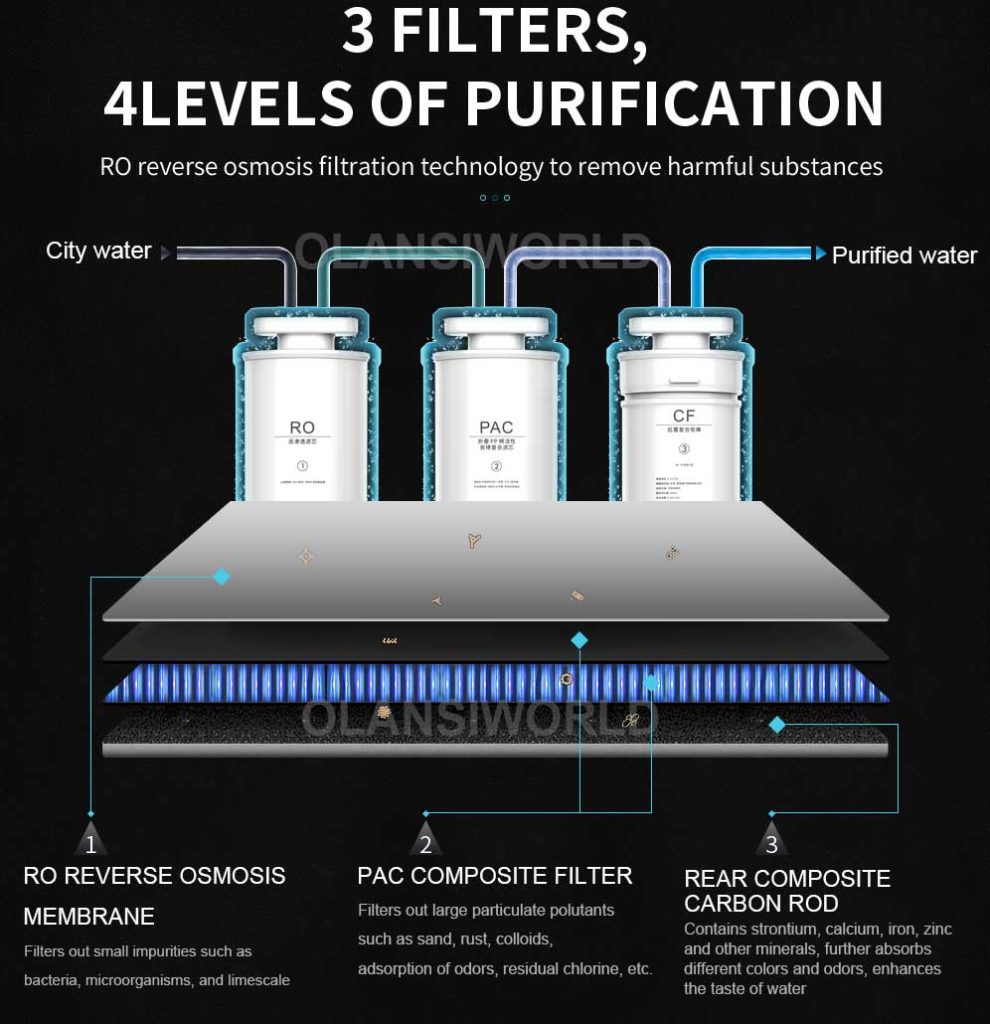
Function of filter element
| Filter element for short | Type of filter element | Function | Recommended replacement period |
| RO | Reverse osmosis filter element | Filter precision of 0.0001 μm, removal of incrustation and heavy metal | 12-24 months |
| PAC | Folding PP cotton activated carbon rod composite filter | Removal of impurities such as silt, rust, sand, suspended solid and blood worm; removal of residual chlorine and absorption of disagreeable tastes and odors | 6-12 months |
| CF | Rear composite carbon rod | Further increase the taste | 6-12 months |
Operation guideline
- Initial use
1. Arrange the water purifying and drinking machine on a desktop, cupboard or flat places;
2. Remove the original water tank, add tap water to the highest MAX water level of the water tank, and install it onto the product;
3. Connect to power;
4. The water purifying and drinking machine automatically flushes the filter element system and the pipeline for 2 minutes. After flushing, the water in the tank should be drained to fill it with tap water;
5. The water purifying and drinking machine automatically starts water production. It can be used normally after the water production is finished (the water needs to be changed once in the whole water production process to fill up the internal purified water tank);
6. In order to obtain excellent water quality, it is recommended to press and hold“ ⑥ Wash” for 3 seconds for manual flushing, 3 times are best.
- Attention:
(1) This machine is equipped with quantitative water outlet protection. After the effluent exceeds 500ml, the effluent will be stopped automatically.
(2) When taking the hot water, don’t stretch out your hand under the water outlet to avoid scald.
(3) In order to prevent dry burning, when the machine is powered on for the first time to take hot water, please supply a section of room temperature water and then hot water.
(4) Unlock key: lock when no effluent or operation10 later.
- Sleep
After the machine produces the water, if no key is pressed to take water within 1h, the machine will automatically enter a sleep state to save electricity. With the key of random water temperature is touched, the machine will be wakened up and then exit from the sleep state and enter the standby state.
- Plateau temperature adjustment mode
When the child is locked, press and hold the “Coffee” and “Bubbling Green Tea” buttons simultaneously for 3 seconds to enter the temperature adjustment mode, the digital tube displays “95”, press the “Coffee” button to increase the temperature by 1 degree, and press the “Bubbling Green Tea” button to decrease the temperature by 1 Degree, the lowest can be adjusted 10 degrees, the lowest display is 85, exit after 5 seconds of no operation, with memory after shutdown.
Replacement of filter element
When the service life of the filter element is 20%, the indicator light flashes orange, indicating that the filter element needs to be replaced.
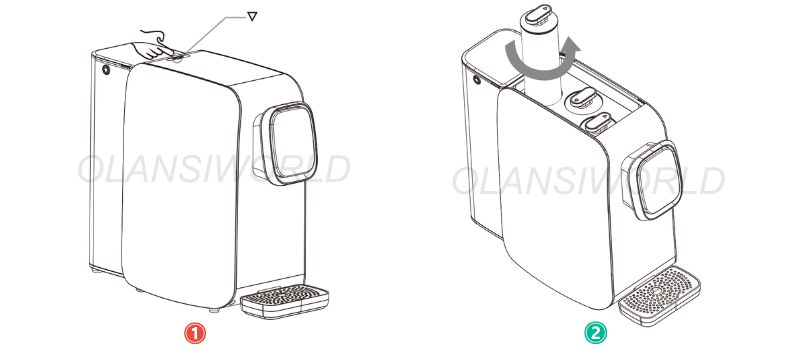
Step 1: Turn off the power and take out the old filter element
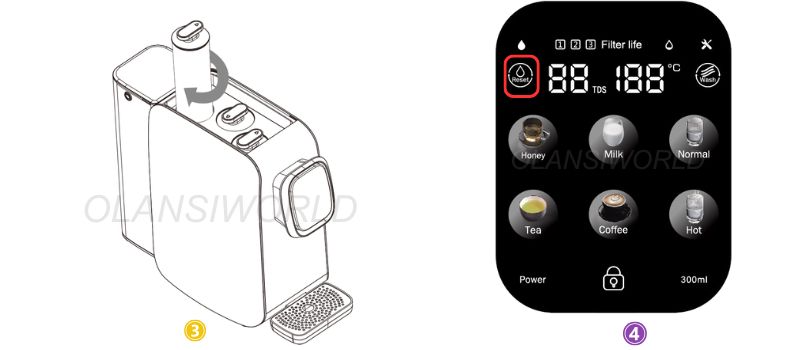
⓵ Press the “▽ ” button pops to open the head cover of the machine automatically;
⓶ Rotate the filter element counterclockwise and take it out upward;
Step 2 : Installation of new filter element
⓷ Assemble the new filter element and rotate it clockwise to tighten it;
⓸ Press and hold “RESET” and then touch “RESET” to select the corresponding filter element. Press and hold “RESET” for 3s to complete resetting.
Note: Original filter element must be used for replacement to ensure the safety of drinking water. For any abnormal situation during the replacement of filter element, please contact the customer service center in time.
Fault elimination
If your machine fails, please refer to the help information in the following table first. If the problem cannot be solved, please contact the local maintenance department.
| Fault | Reason | |
| The machine cannot produce water | 1. Check whether the raw water tank has water | |
| 2. Check whether the filter element is blocked due to too much dirt | ||
| Water flow is smaller | Check whether the filter element is too dirty or used beyond the service life | |
| Water does not taste good | Check whether the filter element is not replaced after used beyond the service life | |
| Water does not taste good | 1. Check whether the parts on the machine has been dismantled without authorization | |
| 2. Check whether the parts at the seepage place are screwed tightly, staggered in teeth or slide | ||
| 3. Check whether the silicone seal ring at the seepage place is aged or damaged | ||
| Electricity leakage and induced electricity of machine body | The machine is grounded poorly | |
| The machine cannot generate heat | 1. Check whether the power is on | |
| 2. The thermostat protector on the heating bucket does not reset | ||
Fault description
| Code | Reason | Processing mode |
| Fault E1 | The machine stops after producing water for 90min continuously and the water is not full. Fault indicator goes on and displays “E1” | Check for leakage |
| Fault E5 | When the intake water temperature is between 0-1°C, Fault indicator goes on and displays “E5” | Use water at 5-38°C |
List of harmful substances
To comply with laws and regulations on harmful substances in electronic products, our company provides the following statement after a detailed internal review of parts categories. Click here for more information